K6 Madame Destiny guide for Pakistan: understand the theme, account safety and responsible play
K6 Madame Destiny theme guide
This K6 Madame Destiny guide explains the theme and offers practical pointers on using your account, protecting your login and managing your time and spending. Read the relevant account or support guidance before taking action, and treat gaming as entertainment rather than a source of income.
If you are browsing on a phone, take a moment to read each instruction before using an account feature. Keep your login details private, and pause if you feel tired or under pressure. This guide is for adults only; set personal limits and stick to them.
Adults only. Play responsibly and keep to limits you can afford.

How to approach the Madame Destiny theme
Madame Destiny uses a mysterious theme, but visual style does not tell you what an account or game action will do. Read the accompanying instructions and any terms before proceeding. If you are looking for account help, identify whether your question concerns access, a payment or a withdrawal, then use the relevant support route.
On a small screen, it can be easy to miss a condition or button label. Read the full message before confirming a transaction, and keep a record of the amount and status shown in your account. If a payment or withdrawal does not appear as expected, check the account details first and contact support with the relevant transaction information.
Remember: Do not treat gaming as income. Set a time and spending limit, protect your account details and stop if play is affecting your wellbeing.
Quick points to remember
- Read the full instruction before choosing an account option.
- A themed page does not change the need to manage time and spending.
- Do not save your login details on a shared device.
- Take a break if you feel tired, uneasy or pressured.
Account, payment and support guidance
For account tasks, first identify whether you need help with registration, login, a deposit or a withdrawal. Check the status displayed in your account before contacting support, and explain the task clearly.
Understand the theme
The Madame Destiny name sets a mysterious mood. Check the accompanying wording to distinguish themed presentation from practical account instructions.
Use your phone carefully
On a small screen, read the whole message and check the button label before confirming an account action.
Protect your account
Keep your password private and avoid saving login details on a shared phone or computer.
Manage your play
Set a time and spending limit before you begin, and stop if either limit is reached.
Check before acting
For payments or withdrawals, review the account status and transaction details before contacting support about a problem.
Pakistan account guidance
For Pakistan account tasks, K6 lists JazzCash, Easypaisa and bank transfers as payment options. The minimum withdrawal is PKR 500. Check the instructions and status shown in your account before confirming a transaction; no processing time is specified here.
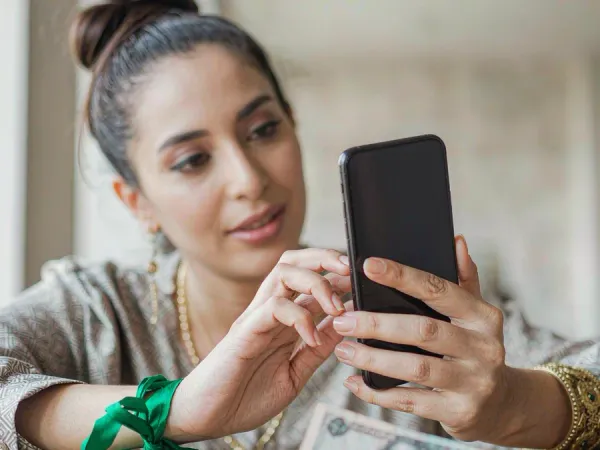
Using the guide on a mobile screen
When reading on a phone, scroll through the complete instruction rather than acting on the first visible line. Before confirming a payment or withdrawal, check the amount, account details and status shown on screen. If the page is slow or an action appears incomplete, wait and check the account record before trying again, so you can explain the issue clearly if you contact support.
For account questions, describe what you were trying to do and what appeared on screen. A clear account of the steps taken helps support understand whether the issue concerns access, a payment or a withdrawal. Avoid sending your password or other login credentials in a support message.
Account access, privacy and support
K6 provides two-factor authentication (2FA) for account security and support available 24/7. Keep your login information private, especially on a shared device, and never send your password to support. When asking for help, explain whether the issue concerns login, a payment or a withdrawal, and share only the details needed to identify it.
For a transaction query, note the amount and the status shown in your account, then explain what you expected to happen. This gives support a specific issue to address. Do not repeat a payment while its status is unclear; check the account record first.
Privacy reminder: Keep login details private and check the account status before following up on a transaction.

Five checks before using an account feature
Use these checks to make account actions easier to follow and any support request more specific.
Read the full instruction
Check the heading, conditions and button label before continuing.
Set a time limit
Decide how long you will browse or play, then stop when that time is up.
Set a spending limit
Choose an amount that will not affect essential costs or personal plans, and do not exceed it.
Use a device you control
Avoid saving account details on a shared phone or computer; log out when you have finished.
Pause when needed
If you feel tired, uneasy or pressured, stop and take a break.
Responsible play and personal limits
A game theme can be engaging, but it should not lead to rushed decisions. Before using an account feature, understand what you are selecting and check the information displayed. Keep play within a time and spending limit that you set yourself.
Gaming is not a dependable way to earn money. If you find it hard to stop, are spending more than planned or feel under pressure, step away and seek support from someone you trust. This site is for adults only; responsible play means keeping your own wellbeing and limits in view.
Adults only. Keep gaming within your personal limits and take a break when needed.
Madame Destiny and account support FAQs
These answers cover the theme, account safety and practical steps for payment or withdrawal questions.
Use the navigation for account help
After reading this K6 Madame Destiny guide, use the site navigation to find account access or support information relevant to your question.